Eisenhower Matrix Excel Template S08092303

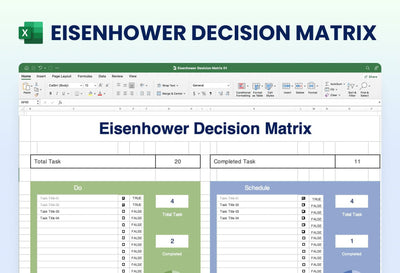
Sort your to-do list by what matters most with the Eisenhower matrix Excel template. It splits your tasks into four tables named Do, Decide, Delegate and Delete, and the preview shows one sheet with the tables two across under a navy title.
What's in the sheet
- A green Do table and a blue Decide table on the top row
- A yellow Delegate table and a red Delete table below them
- A Task column and a Status column in every table
- Ten numbered rows in the Do and Decide tables shown in the preview
- Task Title Name placeholders, with sample check marks and crosses under Status
You can use it to plan your week on Monday morning, or with your team when the task list gets too long. Each table has its own color, green for Do and red for Delete, so you can see at a glance where most of your tasks land.
Start with the Do table. Type the tasks you must finish soon in the Task column, one per row, in place of the Task Title Name placeholders. Then fill the other three tables the same way. Mark each task's Status as you go. You can add more rows if a table fills up, and you can rename a table if your team uses other words. Save a copy each week to see how your list changes over time. You can type your tasks straight into the matrix in Excel.