Business Executive One Page Summary Report Document


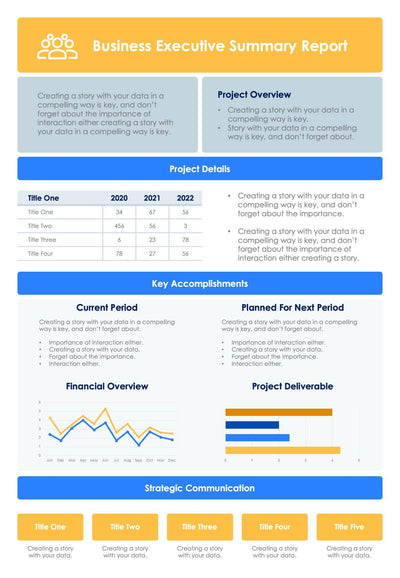
Teal and orange headings split a business executive summary report into tables, notes and charts, so one page covers your whole project.
What's on the page
- A teal Business Executive Summary Report header with a short intro
- A Project Overview with a rocket icon and a Project Details table
- Key Accomplishments in two columns: Current Period and Planned For Next Period
- A Financial Overview stacked bar chart and a Project Deliverable table with dots for May, Jun and Jul
- A Key Risks table with five columns
Project managers can send it to their sponsor at the end of a phase, or bring it to a status meeting. Your readers get the facts in a few minutes.
Start with the intro under the header and write two lines on where your project stands. Then fill the two Project Overview bullets beside the rocket. The Project Details table has four rows and three columns, so you can track four measures over three days or weeks. Under Key Accomplishments, list what you finished and what comes next. In the Project Deliverable table, a dot marks each month a task is active, so move the dots to match your plan. Last, fill the Key Risks table. Its five columns let you name each risk next to its owner and your next step. This version adds the Key Risks table, which the yellow summary report in the set does not have.
You can replace the text and numbers in PowerPoint or Keynote.