Blue Project Management Business Case One Page Report Document


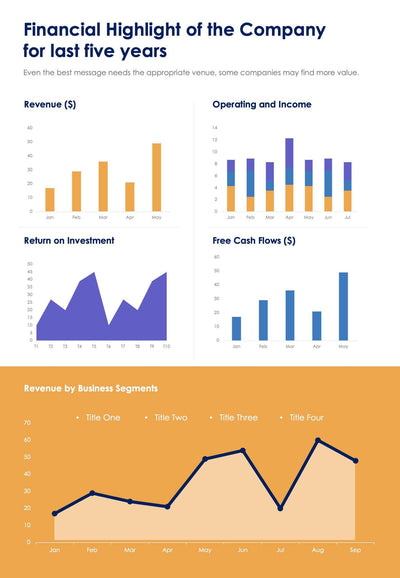
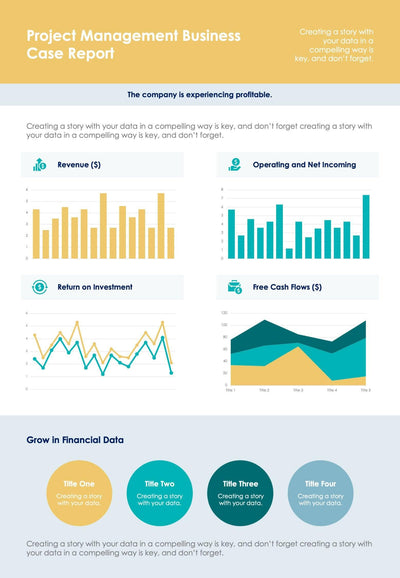
Pitch a project with charts on the money side using the blue project management business case one page report. The portrait page has a dark blue header and four chart panels, each with a round icon.
What's on the page
- A title, Project Management Business Case Report, in a dark blue header
- A Revenue bar chart with three groups of four bars
- An operating and net income area chart, T1 to T10
- A Return on Investment waterfall chart from Jan to Aug
- A Free Cash Flows panel with four bars at 89%, 68%, 34% and 16%
- A financial growth section with six short text blocks
You can bring it to a budget meeting when you ask leaders to back a new project. The four charts give your reader the money story at a glance, and the six short text blocks at the bottom hold your key points.
All figures and text are samples you replace. Start with the header. Type your project name and the short line beside it. Next, open each chart and put in your real numbers, from revenue to return on investment. The Free Cash Flows panel shows four bars with percent labels, so set them to your own shares. Last, rename Title One to Title Six at the bottom and add a line under each. A yellow and green version covers the same four money topics with a different set of charts. You can replace every figure in PowerPoint or Keynote.