Two Column Table Slide Infographic Template


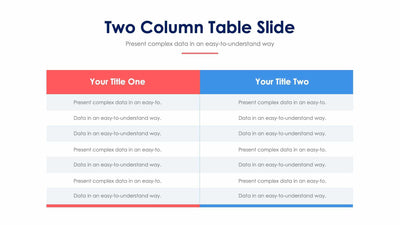
Compare two options across four numbered elements with the two column table slide. Each row has its label and icon outside the table on the left, so your audience reads the row name before the details.
What's on the slide
- A red Your Title A header and a blue Your Title B header over light gray cells
- Element 1 to Element 4 down the left, each with a navy round icon
- Icons of a megaphone, coins, a person with a gear and a light bulb
- Dashed lines between rows, with placeholder text in all eight cells
- The title Two Column Table Slide over a short subtitle and a red line
You can use it to compare two plans or two vendors. It works well in a client meeting when you want your choice to look fair and clear. The red and blue headers keep the two sides apart at a glance.
Start with the two headers. Your Title A and Your Title B are placeholders, so type the names of the two things you compare. Then rename Element 1 to Element 4 with the points you want to judge, such as cost or time. Every cell holds placeholder text. Write a few words in each, and keep the cells in the same row about the same length. Short cells read best. Because the row labels sit outside the table, each point stands out. You can fill the cells in PowerPoint, Keynote or Google Slides.