Flywheel Diagram Slide Infographic Template


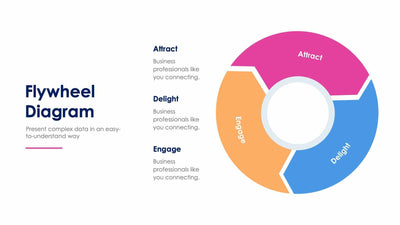
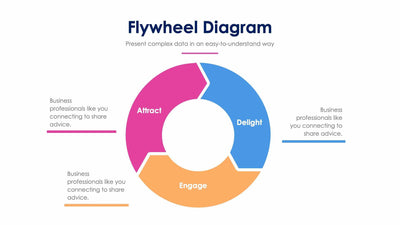
Three curved arrows spiral around a person-and-magnifier icon in a flywheel diagram slide, a three-stage loop with matching notes on the left. You walk your audience from the outer ring to the center.
What's on the slide
- Three nested arrows in pink, blue and orange that circle inward
- The labels Attract, Delight and Engage printed along the arrows
- Three matching color bars with a heading and a short line of placeholder text each
- A large Flywheel Diagram title and subtitle on the left
The spiral suits a marketing or customer growth loop. Marketers use it to explain how a new visitor becomes a loyal customer who brings in the next one. You can also use it for any process with three repeating steps.
Each arrow has its own color, and the bar with the same color sits in the list on the left. The pink outer arrow goes with the first heading, then the blue one, then the orange arrow in the middle. Start with the three headings. Keep the printed stage names or write your own, then change the matching word on the arrow too. Under each heading, swap the placeholder line for one sentence on what you do at that stage. Two lines is enough. The icon in the center shows a person under a magnifier, and you can replace it with your logo or a different icon. Unlike the five-step flywheel slides in the set, this version keeps the loop to three stages.
You can set the labels and colors in PowerPoint, Keynote or Google Slides.