Flywheel Diagram Slide Infographic Template


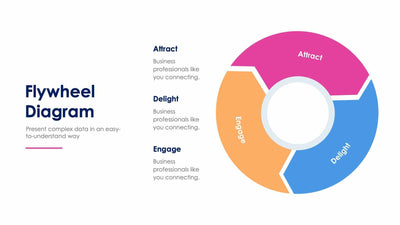
Three curved arrows make one loop on the flywheel diagram slide, with a stage name printed on each. A gray target with a dart sits in the middle of the wheel, and you get a short note for each stage around it.
What's on the slide
- Curved arrows in red for Attract, orange for Delight and yellow for Engage
- The stage names printed right on the arrows
- Three notes of three or four placeholder lines, each with a line in its arrow's color
- The title Flywheel Diagram above a short subtitle
You can use it in a marketing meeting to show how happy customers bring in new ones. With only three stages, the loop is quick to explain to your team or a client. It suits the start of a talk, before you get to the numbers for each stage.
Start with the three notes beside the wheel. Each one has three or four lines of placeholder text and a thin line in the color of its arrow, so your reader can tell which note goes with which stage. Write one point per note. Then rename the stages if your own loop uses other words. The target in the middle can stay, or you can swap it for your logo. Need more steps? Our five-step flywheel slide has room for more. You can open the three-stage flywheel in PowerPoint, Keynote or Google Slides and change any color.